
Introduction
The way HVAC field assessments get done today is a liability for any contracting business trying to scale.
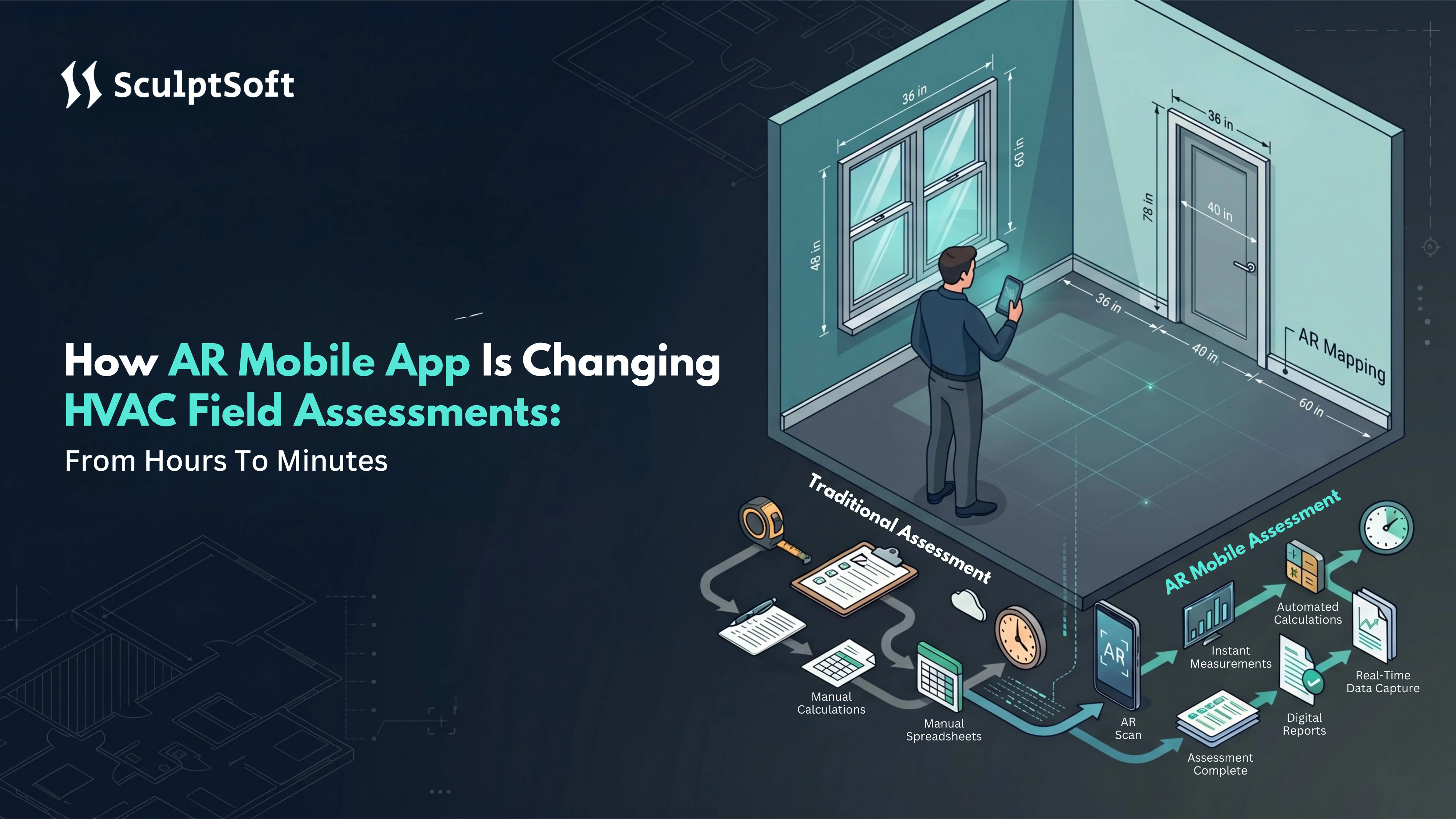
AR mobile apps for HVAC field assessment are changing that not incrementally, but structurally. What used to require a tape measure, paper forms, spreadsheets, building code books, and hours of back-office report formatting can now happen on a single mobile device, on site, in under an hour.
What is an AR-powered HVAC field assessment app? An AR mobile app for HVAC assessment uses augmented reality technology: LiDAR sensors and ARCore or ARKit frameworks to scan and measure rooms directly from a smartphone or tablet. It captures wall dimensions, window positions, door placements, and building geometry in real time, runs automated heat load calculations, applies jurisdiction-specific compliance codes, and generates a professional report all within a single session on site.
This is not a marginal improvement on existing tools. It eliminates entire stages of the traditional workflow.
The contractors and construction technology companies that move first on AR-powered assessment workflows will not just save time per project. They will be able to take on more projects, close faster, and deliver compliance documentation that builds client trust from the first visit.
Why Traditional HVAC Field Assessments Fail Contractors?
Traditional HVAC field assessment was designed for a slower, smaller industry. In 2026, it is actively holding contractors back.
A single residential HVAC assessment using manual methods consumes 4 to 8 hours of billable time across four disconnected stages. For any contracting business managing growing project volumes, that is not a workflow. That is a growth ceiling.
1. Manual Measurements Create Compounding Errors at Every Stage
On-site HVAC assessment still relies on tape measures, paper sketches, and handwritten forms. Wall lengths, window dimensions, door positions, and room exposures all get recorded by hand, one room at a time.
The core problem isn’t speed; it’s accuracy.
A single misread dimension cascades through every downstream heat load calculation. The result is either an oversized or undersized HVAC system, both of which carry serious consequences:
- Oversized systems cost clients more upfront, run inefficiently, and generate warranty callbacks
- Undersized systems fail compliance review and require a second site visit
- Both outcomes consume unbillable hours and damage client relationships
2. Spreadsheet Workflows Slow Down Every HVAC Project
Site data captured on paper gets manually re-entered into spreadsheets at the office. R-values, heat gain factors, and code references are looked up one at a time across disconnected documents and PDF files.
There is no standardized HVAC load calculation engine in this workflow. Outputs vary based on who runs the numbers, which code version they reference, and how carefully data was transferred from site notes. For businesses managing multiple concurrent projects, that inconsistency creates a direct compliance risk.
3. Report Preparation Adds Hours with Zero Technical Value
Every HVAC compliance report in a manual workflow is built from scratch. One measurement revision means recalculating and reformatting the entire document by hand.
For multi-level residential HVAC projects, this is where assessments most commonly break down:
- Wall assemblies, window orientations, and exposure details differ across floors
- Components tracked across multiple spreadsheet tabs get missed
- Incomplete or inconsistent reports fail inspector review entirely
The real business cost of manual HVAC assessment:
| Workflow Stage | Time Lost | Primary Risk |
|---|---|---|
| On-site manual measurement | 1 to 2 hours | Dimensional errors, missed components |
| Office data re-entry | 1 to 2 hours | Duplication errors, version mismatch |
| Code lookup and calculation | 1 to 2 hours | Compliance gaps, outdated references |
| Report formatting | 1 to 2 hours | Full rework on any revision |
| Total per project | 4 to 8 hours | Compounding risk across all stages |
Workflow Stage
On-site manual measurement
Time Lost
1 to 2 hours
Primary Risk
Dimensional errors, missed components
Workflow Stage
Office data re-entry
Time Lost
1 to 2 hours
Primary Risk
Duplication errors, version mismatch
Workflow Stage
Code lookup and calculation
Time Lost
1 to 2 hours
Primary Risk
Compliance gaps, outdated references
Workflow Stage
Report formatting
Time Lost
1 to 2 hours
Primary Risk
Full rework on any revision
Workflow Stage
Total per project
Time Lost
4 to 8 hours
Primary Risk
Compounding risk across all stages
For HVAC business leaders evaluating where operational capacity is being lost, the field assessment workflow is where it starts. An AR mobile app for HVAC field assessment replaces every one of these stages and brings that time down to under 45 minutes. Here is exactly how it works.
How Does an AR-Powered HVAC Assessment App Work?
An AR-powered HVAC assessment app uses LiDAR and ARCore to scan rooms from a smartphone, automatically capture building geometry, run heat load calculations, apply jurisdiction-specific compliance codes, and generate a compliance report on site, in a single session, without spreadsheets or manual data entry.
Let’s understand how an AR mobile HVAC assessment app works at each stage of the field workflow.
1. LiDAR and ARCore as Precision Measurement Tools
Modern smartphones already carry the hardware needed for professional-grade HVAC room scanning.
On iOS, ARKit uses the built-in LiDAR scanner to map room geometry in real time. On Android, ARCore Depth API delivers the same capability across certified field devices. The technician simply points the device at the room and moves it slowly around the space. Wall lengths, ceiling heights, window dimensions, and door positions are captured automatically.
Key outcomes:
- Full room geometry captured in minutes
- No tape measure, no paper sketch, no manual notation
- Dimensionally accurate digital floor plan generated on site
- Manual drawing mode available for devices without LiDAR support
2. From Room Scan to Heat Load Calculation On Site
Once the room is scanned, the app does not stop at measurements.
Captured geometry feeds directly into an automated HVAC heat load calculation engine. R-values for walls, floors, ceilings, windows, and doors are assigned from built-in assembly inputs. Heating and cooling loads are calculated instantly. Multi-floor residential projects are handled through a hierarchical building structure covering basements, ground floors, and upper levels in a single session.
The result: zero manual data re-entry, zero spreadsheet work, zero office-based calculation steps.
3. Jurisdiction-Aware Compliance Loaded Automatically
Every HVAC project must meet the compliance standard applicable to its location.
For example, in Canada, CSA F280 governs residential heat load calculations. A jurisdiction-aware AR HVAC app identifies the correct standard based on project location, loads the applicable code parameters automatically, and runs all calculations against the right compliance framework from the start.
What this eliminates for contractors:
- Manual code version lookup on every project
- Risk of applying an outdated or incorrect standard
- Compliance report failures at inspector review
- Repeat site visits caused by non-compliant documentation
How the full AR HVAC assessment workflow comes together:
| Stage | What Happens | Time Required |
|---|---|---|
| Room scanning | LiDAR or ARCore captures geometry | Minutes per room |
| Data population | Dimensions feed into the heat load engine | Zero manual entry |
| Load calculation | Automated CSA F280 | Real time |
| Compliance check | Jurisdiction-aware code applied automatically | No manual lookup |
| Report generation | One-tap compliance-ready report | Under a minute |
| Total assessment | Complete, compliant, ready to share | Under 45 minutes |
Stage
Room scanning
What Happens
LiDAR or ARCore captures geometry
Time Required
Minutes per room
Stage
Data population
What Happens
Dimensions feed into the heat load engine
Time Required
Zero manual entry
Stage
Load calculation
What Happens
Automated CSA F280
Time Required
Real time
Stage
Compliance check
What Happens
Jurisdiction-aware code applied automatically
Time Required
No manual lookup
Stage
Report generation
What Happens
One-tap compliance-ready report
Time Required
Under a minute
Stage
Total assessment
What Happens
Complete, compliant, ready to share
Time Required
Under 45 minutes
How Much Time Do AR Apps Save in HVAC Assessments?
An AR mobile app reduces HVAC field assessment time from 4 to 8 hours to under 45 minutes. Time savings come from eliminating manual measurements, removing spreadsheet-based data entry, automating heat load calculations, and generating compliance reports on site in a single session.
The question business leaders ask is not whether AR saves time. It is how much, at which stage, and what that means for project capacity and revenue.
Where the Time Savings Come from
Every hour saved in an AR-powered HVAC assessment workflow comes from eliminating a specific manual step. The savings are not incremental. They are structural.
| Workflow Stage | Manual Method | AR Mobile App | Time Saved |
|---|---|---|---|
| Room measurement | Tape measure, paper notes | LiDAR room scan | 60 to 90 minutes |
| Data entry | Manual spreadsheet re-entry | Auto-populated from scan | 60 to 90 minutes |
| Heat load calculation | Manual code lookup and calculation | Automated calculation engine | 60 to 90 minutes |
| Compliance check | Manual standard cross-reference | Jurisdiction-aware auto-load | 30 to 60 minutes |
| Report generation | Built from scratch, formatted manually | One tap report output | 45 to 60 minutes |
| Total | 4 to 8 hours | Under 45 minutes | Up to 90% reduction |
Workflow Stage
Room measurement
Manual Method
Tape measure, paper notes
AR Mobile App
LiDAR room scan
Time Saved
60 to 90 minutes
Workflow Stage
Data entry
Manual Method
Manual spreadsheet re-entry
AR Mobile App
Auto-populated from scan
Time Saved
60 to 90 minutes
Workflow Stage
Heat load calculation
Manual Method
Manual code lookup and calculation
AR Mobile App
Automated calculation engine
Time Saved
60 to 90 minutes
Workflow Stage
Compliance check
Manual Method
Manual standard cross-reference
AR Mobile App
Jurisdiction-aware auto-load
Time Saved
30 to 60 minutes
Workflow Stage
Report generation
Manual Method
Built from scratch, formatted manually
AR Mobile App
One tap report output
Time Saved
45 to 60 minutes
Workflow Stage
Total
Manual Method
4 to 8 hours
AR Mobile App
Under 45 minutes
Time Saved
Up to 90% reduction
Each row in this table represents a disconnected manual process that AR eliminates entirely.
The Real Business Impact of Faster Assessments
For HVAC business leaders, time saved per HVAC assessment is not just an operational metric. It is a direct input into revenue capacity, project throughput, and team scalability.
What faster HVAC assessments deliver for a contracting business:
- More projects completed per technician per day without adding headcount
- Faster client turnaround builds competitive advantage in residential markets
- Compliance reports delivered on site improve client confidence and close rate
- Fewer callbacks and rework cycles driven by manual measurement errors
- Reduced back-office workload frees up resources for higher-value work
Mobile technology already improves field service productivity by up to 30% in standard HVAC workflows. An AR-powered HVAC assessment app that eliminates the most time-intensive stage of the project delivers significantly higher gains specifically in assessment, calculation, and compliance reporting.
From Hours to Minutes - A Real Project Outcome
The numbers above are not projections. They are the documented outcome of a purpose-built AR HVAC assessment platform developed for a residential HVAC contractor operating across multiple Canadian provinces.
Before the AR mobile app, the client’s field assessment workflow consumed up to 8 hours per project across manual measurements, spreadsheet calculations, and compliance report formatting.
After deployment:
- Full residential HVAC assessment completed in under 45 minutes
- CSA F280 compliant heat load reports generated on site
- Manual data entry eliminated entirely across all active projects
- Assessment capacity increased significantly without adding field staff
This outcome reflects what custom AR mobile app development can deliver for HVAC and field service businesses when the solution is built around real field workflows, not adapted from a generic template. For business leaders evaluating AR mobile app development for HVAC operations, this is the benchmark to measure any proposed solution against.
Key Features of a High-Performance HVAC AR Mobile App
Not all AR HVAC mobile apps deliver the same results. Key features below define what separates a purpose-built HVAC AR assessment app from a basic measurement tool.
1. AR Room Scanning with Manual Drawing Mode
On LiDAR-enabled iOS devices, ARKit and RoomPlan API scan walls, ceilings, windows, and doors automatically in seconds. On Android, ARCore Depth API delivers the same capability across certified field devices.
What this eliminates on site:
- Tape measures and paper sketches
- Manual window and door notation
- Room-by-room handwritten data collection
For teams using non-LiDAR devices, a manual drawing mode keeps the workflow consistent across all hardware. A well-built AR HVAC app supports both input methods within the same session.
2. Hierarchical Building Structure for Multi-Level Projects
Single-room scanning is table stakes. What matters for residential HVAC contractors is how the app handles multi-level properties.
A high-performance AR HVAC mobile app organizes each project through a hierarchical building structure:
- Basement, ground floor, and upper levels managed in one session
- Rooms, walls, windows, and doors organized under the correct floor automatically
- Heat load calculations pulling from every level
This feature determines whether the mobile app scales with project volume or creates new bottlenecks.
3. Automated R-Value and Heat Load Calculation
Once room geometry is captured, the automated HVAC load calculation engine takes over.
R-values for walls, floors, ceilings, windows, and doors are assigned from built-in building assembly inputs. Heating and cooling loads are calculated instantly. Any revision to a room dimension updates every downstream calculation in real time.
| Manual Process | AR HVAC App |
|---|---|
| R-value lookup from code books | Built-in assembly library |
| Spreadsheet heat load formula | Automated calculation engine |
| Manual compliance standard selection | Jurisdiction-aware auto-load |
| Recalculation on every revision | Instant real-time update |
Manual Process
R-value lookup from code books
AR HVAC App
Built-in assembly library
Manual Process
Spreadsheet heat load formula
AR HVAC App
Automated calculation engine
Manual Process
Manual compliance standard selection
AR HVAC App
Jurisdiction-aware auto-load
Manual Process
Recalculation on every revision
AR HVAC App
Instant real-time update
4. One-Tap Compliance Report Generation
In a manual HVAC workflow, report formatting alone takes 45 to 60 minutes per project.
A high-performance AR HVAC assessment app generates a professional compliance-ready report in one tap on site, before the technician leaves the property. The report includes:
- Room-by-room heat load breakdown
- Building assembly inputs and R-value assignments
- Jurisdiction-specific compliance standard applied
- Professional formatting ready for client delivery and inspector submission
For business leaders evaluating custom AR mobile app development for HVAC, this is the most visible ROI touchpoint delivered on the first visit, not days later.
What to Look for in an AR HVAC Mobile App
The right AR HVAC mobile app does more than scan rooms. It eliminates manual work, automates compliance, and delivers results on site. Here is what every business leader should evaluate before investing.
1. Cross-Platform iOS and Android Support
Your field team does not all carry the same device. A production-ready AR HVAC assessment app must work across both iOS and Android without compromising output quality.
What to look for:
- ARKit and RoomPlan support for LiDAR-enabled iOS devices
- ARCore Depth API support for Android field devices
- Manual drawing mode for teams using non-LiDAR hardware
- Consistent workflow and report output across all device types
2. Full Offline Functionality
HVAC assessments happen in basements, rural sites, and low-signal environments. The app must work without internet access at every stage.
Full offline capability includes:
- Room scanning without connectivity
- Heat load calculations running locally on the device
- Compliance report generation available offline
- Automatic data sync when connectivity is restored
3. Built-In Compliance Automation
This is the feature that separates a basic AR measuring tool from a purpose-built AR HVAC assessment app.
Look for:
- Automatic CSA F280 loading for Canadian projects and Manual J for US projects
- Built-in R-value and building assembly library
- Automated HVAC heat load calculation engine
- One-tap compliance report generation with no manual formatting
If the app still needs a spreadsheet at any point, it has not solved the core problem.
4. Multi-Level Project Scalability
A genuine AR HVAC mobile app must handle full residential project complexity:
- Multi-floor properties managed in a single session
- Wall assemblies, window orientations, and exposure details organized per floor
- Multiple active projects accessible from one interface
- Hierarchical building structure matching how real HVAC projects are managed
If it cannot handle a two-storey home without breaking the workflow, it will not scale with your business.
How SculptSoft Built an AR-Powered HVAC Load Calculation App
Replacing a manual HVAC field assessment workflow is not just a technology problem. It requires understanding how technicians work on site, where the workflow breaks down across different property types, and how compliance requirements vary across jurisdictions.
For one residential HVAC contractor operating across multiple Canadian provinces, the core challenge was not just speed. It was consistency in measurements, compliance calculations, and report quality across a distributed field team.
What the custom AR mobile app development solution needed to deliver:
- AR room scanning across iOS and Android devices
- Automated CSA F280 heat load calculations
- Multi-floor project management in a single session
- Jurisdiction-aware compliance loading across provinces
- Offline report generation without manual formatting
Building each capability in isolation was straightforward. Connecting them into a production-ready AR mobile app that matched real field conditions across device types, jurisdictions, and project complexities was where the real mobile app development work lived.
See how this custom AR mobile app solution was built for HVAC load calculation, and what it delivered for a multi-province residential contractor: AR-Powered HVAC Load Calculation Platform
Conclusion
AR mobile apps are not changing HVAC field assessment at the margins. They are replacing the entire manual workflow from room scanning to compliance report with a single connected mobile session that takes under 45 minutes.
Key Takeaways:
- Manual HVAC field assessment workflows consume 4 to 8 hours per project across disconnected, error-prone stages
- AR mobile apps using LiDAR and ARCore eliminate every manual stage in a single on-site session
- Automated CSA F280 and Manual J calculations remove compliance risk across jurisdictions
- Assessment time reduces by up to 90% without adding field headcount
- One-tap compliance report generation means clients receive documentation before the technician leaves the property
- The same AR mobile app development approach applies to any field service business running manual assessment workflows
For business leaders in HVAC contracting, construction technology, or field service operations, the right mobile app development partner makes the difference between a tool that works in a demo and one that delivers measurable outcomes in the field. Purpose-built AR mobile apps designed around how your team actually works, not how a generic platform assumes they work are where the real ROI lives.
If your business is running manual field assessment workflows today, the path to faster assessments, consistent compliance, and scalable field operations runs through custom AR mobile app development. Connect with SculptSoft to explore what a custom mobile app solution looks like for your operations.
Frequently Asked Questions
How can AR mobile apps reduce HVAC field assessment costs?
AR mobile apps reduce HVAC field assessment costs by cutting assessment time from 4 to 8 hours to under 45 minutes, eliminating manual data entry and rework caused by measurement errors. The labor hours saved per project directly lower the cost of delivering each HVAC assessment.
What ROI can HVAC businesses expect from AR mobile app investment?
HVAC businesses adopting AR-powered assessment apps typically see ROI through faster project turnaround, more assessments completed per technician per day, and fewer costly callbacks from compliance failures, with measurable gains often visible within the first few months of deployment.
Is custom AR mobile app development worth it for field service businesses?
It is worth it when the app replaces a high-cost manual process. For HVAC and field service operations where assessment time directly limits project capacity, a custom AR mobile app pays back its investment through time saved, fewer errors, and faster client turnaround.
How does AR technology help HVAC businesses scale operations?
AR technology helps HVAC businesses scale by increasing the number of assessments a single technician can complete per day, without adding headcount. This directly increases project capacity and revenue potential without proportional increases in labor cost.
How do business leaders evaluate a mobile app development partner for AR solutions?
Business leaders should evaluate a development partner based on their understanding of the specific industry workflow, not just general AR or mobile development experience. The right partner builds the solution around how the field team actually works, which determines whether the app delivers real ROI or becomes shelfware.