Claude Design at a Glance
Design backlogs are one of the quietest drains on business velocity. A delayed wireframe stalls a sprint. A missing pitch deck delays a funding conversation. A marketing asset stuck in review holds up an entire campaign. For most business teams, the gap between having an idea and making it visual is slow, expensive, and dependent on resources they do not always have.
That is the exact problem Claude Design is built to solve.
Anthropic Claude Design is the AI design tool that removes the traditional bottleneck between ideation and visual output for designers and non-designers alike. Whether you are a founder who needs a pitch deck by tomorrow, a product manager sketching a feature flow before a sprint, or a marketer who cannot wait three days for a landing page, this AI-powered visual creation tool changes what is possible without a full design team.
What is Claude Design? Claude Design is Anthropic’s AI design tool launched on April 17, 2026, under Anthropic Labs. Powered by Claude Opus 4.7, it converts plain-text prompts into prototypes, wireframes, pitch decks, one-pagers, landing pages, and UI mockups directly inside Claude.ai. It is available to Claude Pro, Max, Team, and Enterprise subscribers.
This complete guide covers everything business leaders need to know about how Claude Design works, its standout features, real use cases, how it compares to Figma and Canva, and what it means for your business going forward.
How Claude Design Works
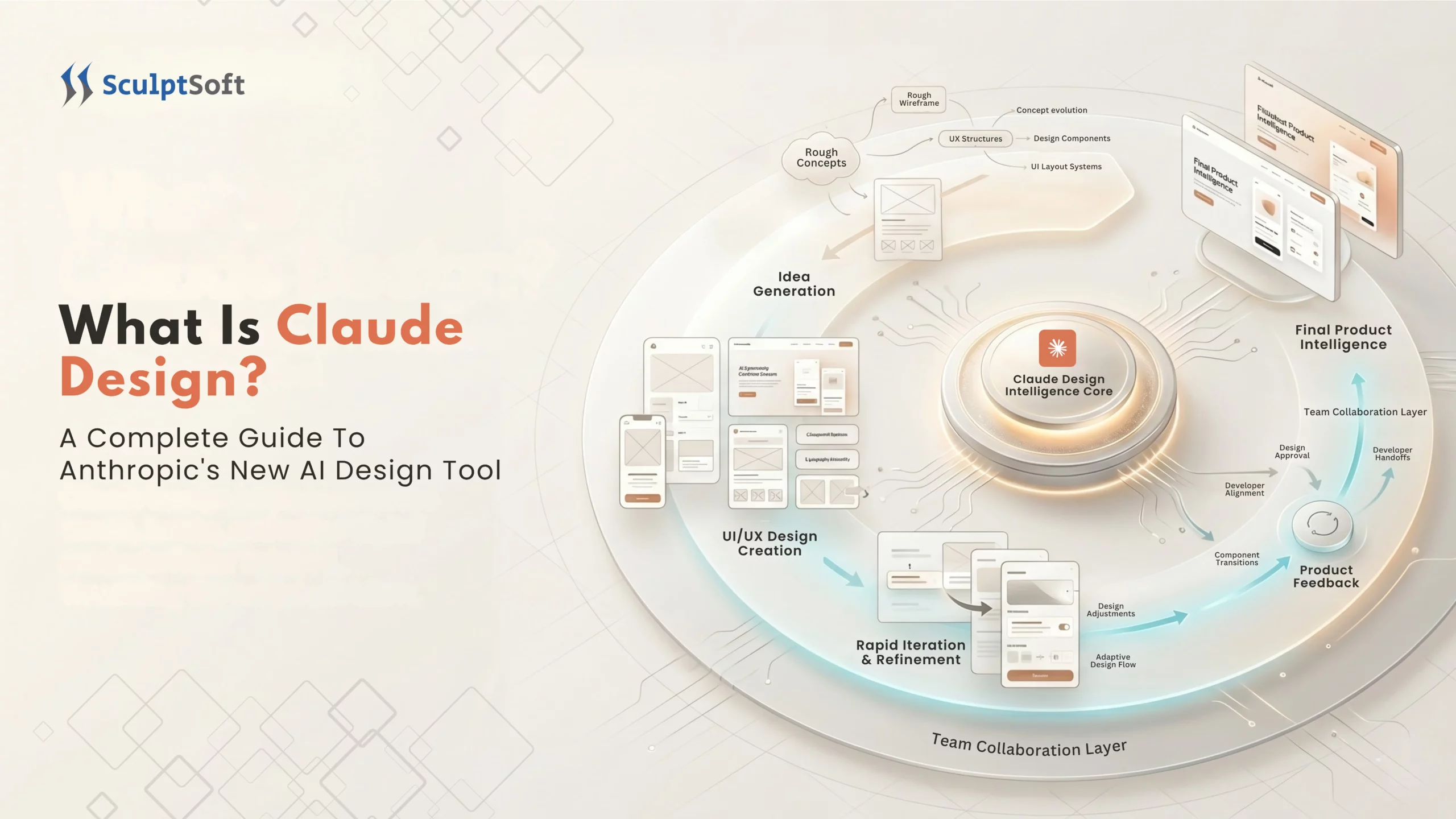
Most design tools demand you learn them first. Claude Design flips that entirely. You describe what you need, and the tool builds it. The entire Claude Design workflow is driven by conversation, not clicks, not a learning curve, not a layers panel.
Here is exactly how it moves from a plain-text prompt to a finished, exportable visual asset.
The Claude Design Workflow Step By Step
Step 1: Start From Anywhere
You are not locked into a blank canvas. The Anthropic Claude Design tool accepts multiple starting points:
- A plain-text prompt (“Build me a SaaS landing page for a B2B analytics product”)
- An uploaded file: DOCX, PPTX, XLSX, or images
- A codebase or existing design file
- A live website URL via the built-in web capture tool
Step 2: Claude Builds a First Version
Powered by Claude Opus 4.7, Anthropic’s most capable vision model Claude Design generates a structured, interactive visual from your input. Not a static image. Not a screenshot. A live, code-powered output you can scroll, click, and interact with immediately.
Step 3: Refine Through Conversation
This is where conversational design changes everything. You do not adjust nodes or toggle settings. You describe the change and Claude applies it.
- Leave inline comments on specific elements
- Edit text directly inside the design
- Use custom adjustment sliders generated by Claude for your specific layout to tweak spacing, color, and typography live
- Ask Claude to apply one change across the entire design in a single instruction
Step 4: Collaborate as a Team
Claude Design is built for business teams, not solo designers. Designs are organisation-scoped, you decide who accesses what:
- Keep the design private
- Share a view-only link with anyone inside your organisation
- Grant edit access so multiple team members can modify the design and chat with Claude in a shared workspace
Step 5: Export or Hand Off
When the design is ready, outputs go exactly where your team needs them as shareable internal URLs for stakeholder reviews, PDF or PPTX for client presentations and boardroom decks, standalone HTML for developer handoff, or directly into Canva for your marketing team to continue editing.
The Design System Advantage: Your Brand, Not Generic Output
One of the most significant capabilities of the Claude Design AI tool is what happens during onboarding.
Claude reads your codebase and existing design files. It extracts your brand tokens, colors, typography, spacing, and component styles and applies them automatically to every project your team creates going forward.
The output looks like your product, not a generic AI-generated template.
Key points business leaders should know:
- Teams can maintain more than one design system inside Claude Design
- Useful for agencies, enterprises managing multiple brands, or product teams with distinct sub-products
- Every new project automatically inherits the correct brand guidelines without manual setup
This is the core reason AI-powered design tools like Claude Design produce results that are actually usable from day one unlike most prompt-to-image tools that require significant rework.
The Claude Code Handoff: From Visual to Working Product
Why This Matters for Business Leaders Most AI design tools create a dead end. You get a polished visual then a developer has to rebuild it from scratch. The Claude Code handoff closes that gap entirely.
When a design is ready to build, Claude packages it into a handoff bundle. A developer or Claude Code itself converts it into production-ready frontend code with a single instruction.
The end-to-end loop:
Prompt → Visual → Refined Prototype → Handoff Bundle → Claude Code → Working Product
No briefs written twice. No rebuilding from a screenshot. No week-long back-and-forth between design and engineering.
For product and engineering teams, this is the capability that directly changes the speed and cost of shipping which is ultimately what Anthropic’s AI design tool is designed to impact at a business level.
Core Features of Claude Design
What are the core features of Claude Design?
Claude Design features include AI-generated interactive prototypes, pitch decks and presentations, working HTML landing pages, marketing assets, frontier design with voice, video and 3D capabilities, design system integration, and direct Claude Code handoff for production development – all driven through plain-language conversation. Here is what the tool actually delivers:
1. Interactive Prototypes and Wireframes
One of the most immediately useful Claude Design features for product teams is the ability to go from a text description to a live, interactive prototype in a single prompt.
This is not a static wireframe or a mockup image. Claude Design AI generates a code-powered visual your team can click through, test, and share before a single line of production code is written.
Why it matters for business teams:
- Eliminates multi-day brief-to-mockup cycles
- Removes designer dependency before development sprints begin
- Produces shareable prototypes stakeholders can interact with, not PDFs to squint at
Claude Design prototyping is particularly valuable for product managers and founders who need to validate ideas fast without pulling engineering into early-stage exploration.
2. Pitch Decks and Business Presentations
Claude Design for presentations tackles one of the most time-consuming tasks in any business – turning a rough outline into a polished, on-brand deck.
Feed the tool a brief, a bullet list, or an existing document. Anthropic Claude Design generates a complete, structured slide deck that reflects your brand guidelines and content hierarchy, no design handoff required.
Output options:
- Export as PPTX for investor meetings or boardroom presentations
- Push directly to Canva for further team editing and brand refinement
- Share as an internal URL for stakeholder review and sign-off
For founders and sales teams, Claude Design pitch deck capability alone makes the subscription worthwhile.
3. Landing Pages, One-Pagers, and Marketing Assets
Claude Design for marketing teams removes the single biggest frustration in most marketing workflows which is waiting on design capacity to produce campaign assets.
What marketing teams can produce with Claude Design AI tool:
- Product and campaign landing pages in live HTML
- Sales enablement one-pagers and outbound collateral
- Social media assets and promotional visuals
- Event, webinar, and product launch materials
For businesses without dedicated design capacity, Anthropic’s AI design tool makes professional-grade marketing output accessible at every stage of a campaign, not just when a designer is available.
4. Frontier Design: Voice, Video, 3D, and AI-Native Prototypes
This is the Claude Design capability that most early coverage has overlooked and the one that separates it most clearly from every other tool in the AI design space. Claude Design supports code-powered prototypes that go well beyond standard UI:
- Voice interactions built directly into the prototype
- Video elements – dynamic content embedded natively
- Shaders and 3D components for visually complex digital experiences
- Built-in AI features – AI-native functionality inside the prototype itself
For teams building AI-powered products, interactive web applications, or immersive digital experiences, Claude Design by Anthropic moves into territory no comparable AI design tool currently covers at this level of accessibility.
This is not a feature to note for later. For product teams building in 2026, AI-native prototyping with Claude Design is a genuine competitive advantage, the ability to prototype what the finished experience actually feels like, not just what it looks like.
Who Claude Design Is Built For
Claude Design is built for founders, product managers, marketing teams, designers, and business leaders who need to produce visual output fast without design skills, a designer on call, or a multi-day brief cycle. It is equally valuable for experienced designers who want to explore multiple directions rapidly.
Here is who gets the most immediate value from the Anthropic Claude Design tool:
1. Founders
Speed is everything in the early stages of building a business. Founders using Claude Design can go from a rough idea to a shareable, on-brand pitch deck or product prototype without hiring a designer or waiting on one.
What founders use it for:
- Investor pitch decks built from a bullet-point outline
- Early product prototypes to validate ideas before engineering involvement
- Landing pages and one-pagers for pre-launch outreach
The ability to produce credible visual output independently is one of the clearest business advantages Claude Design for founders delivers.
2. Product Managers
Product managers sit at the intersection of ideas and execution and they are constantly dependent on design resources they do not control. Claude Design for product managers removes that dependency at the most critical stage of the workflow.
- Sketch feature flows and wireframes before design reviews
- Generate interactive prototypes to align stakeholders before a sprint begins
- Hand off directly to Claude Code for implementation, skipping the brief-to-designer-to-developer chain entirely
What used to take a week of back-and-forth now happens inside a single conversation.
3. Marketing Teams
Marketing teams move in campaign cycles and design queues do not. Claude Design for marketing gives teams the ability to produce landing pages, campaign visuals, and sales collateral at the speed the business actually needs.
- No design queue, no waiting, no missed launch windows
- Real HTML output, not mockup images handed to a developer to rebuild
- Brand-consistent assets every time pulled from your design system automatically
4. Designers
The tool gives designers something most workflows never allow – room to explore widely. Instead of committing to one or two directions under time pressure, designers can generate a range of concepts rapidly and present options that would otherwise never make it to review.
5. Non-Designers and Business Leaders
Anthropic explicitly designed the tool around people who have a clear vision but no design background to execute it.
Claude Design for non-designers makes visual creation as accessible as writing a message. If you can describe what you need, you can produce something polished enough to share, present, or build from without a single design skill required.
For business leaders evaluating AI design tools for their teams, this is the access point that matters most. It means any team member regardless of background can contribute to visual output without creating dependency on a specialist.
Claude Design vs Figma vs Canva - What Business Leaders Need to Know
Three tools. Three very different origins. All making serious AI design claims at the same time.
The question most business leaders are actually asking is not which tool is technically superior, it is which tool belongs in their stack, for which jobs, and at what cost. Here is the honest answer.
The Core Difference
- Claude Design: Conversational AI design tool. Prompt to prototype to production code in one ecosystem.
- Figma: Industry-standard professional UI/UX design platform. Built for design teams shipping complex digital products.
- Canva: Template-driven visual creation tool. Built for high-volume marketing asset production.
Claude Design vs Figma vs Canva - Full Comparison
| Feature | Claude Design | Figma | Canva |
|---|---|---|---|
| Input Method | Text prompt, file, codebase, URL | Manual canvas design | Templates + generative fill |
| Output Type | Working HTML, PPTX, PDF, Canva | Vector files, Dev Mode export | Editable layered designs |
| Design Skill Required | None | High | Low |
| Prototyping | Interactive, code-powered | Advanced, component-based | Basic |
| Design System Support | Auto-applied from codebase | Full component libraries | Brand Kit |
| Developer Handoff | Direct to Claude Code | Figma Dev Mode | Limited |
| Collaboration | Multi-user, real-time | Multi-user, industry-leading | Multi-user |
| AI Capabilities | Core to entire workflow | Feature-level additions | Canva AI 2.0 layered |
| Best For | Prototypes, decks, landing pages | Production UI/UX, design systems | Marketing assets, social media |
Feature
Input Method
Claude Design
Text prompt, file, codebase, URL
Figma
Manual canvas design
Canva
Templates + generative fill
Feature
Output Type
Claude Design
Working HTML, PPTX, PDF, Canva
Figma
Vector files, Dev Mode export
Canva
Editable layered designs
Feature
Design Skill Required
Claude Design
None
Figma
High
Canva
Low
Feature
Prototyping
Claude Design
Interactive, code-powered
Figma
Advanced, component-based
Canva
Basic
Feature
Design System Support
Claude Design
Auto-applied from codebase
Figma
Full component libraries
Canva
Brand Kit
Feature
Developer Handoff
Claude Design
Direct to Claude Code
Figma
Figma Dev Mode
Canva
Limited
Feature
Collaboration
Claude Design
Multi-user, real-time
Figma
Multi-user, industry-leading
Canva
Multi-user
Feature
AI Capabilities
Claude Design
Core to entire workflow
Figma
Feature-level additions
Canva
Canva AI 2.0 layered
Feature
Best For
Claude Design
Prototypes, decks, landing pages
Figma
Production UI/UX, design systems
Canva
Marketing assets, social media
Which Design Tool Belongs in Your Stack
This is not a binary decision. The most productive teams in 2026 are not choosing one design tool, they are choosing the right design tool for the right job.
Practical guidance for business leaders:
- Starting fresh or scaling lean: Claude Design plus Canva covers the majority of business visual needs at lower cost and higher speed
- Have Figma and use it well: Keep it. Add Claude Design for rapid prototyping and early-stage exploration
- Have Figma but rarely use it: Consider replacing with Claude Design for most use cases and Canva for marketing volume
- Building AI-native products: Claude Design is the only tool with native frontier prototyping capabilities built in
Bottom line: Claude Design is not a Figma killer or a Canva replacement. It is a new category: conversational AI design with native code output and it makes the trip to Figma or Canva unnecessary for a growing share of everyday business visual work.
How to Access Claude Design: What Teams Need to Know
Before rolling Claude Design out across a team, there are a few access requirements and operational details worth understanding upfront. This section covers what business leaders need to know before getting started.
Who Can Access Claude Design
Claude Design is not available as a standalone product or on a free account. Access is bundled into existing Claude subscriptions, specifically Claude Pro, Max, Team, and Enterprise plans.
Key access points to know:
- Individual users on Claude Pro and Max plans get immediate access
- Team plans include Claude Design across all seat types Standard and Premium
- Enterprise organisations have access but with an important difference covered below
- Free tier users cannot access Claude Design, a paid plan is the minimum requirement
For businesses already using Claude for other workflows, accessing Claude Design requires no additional purchase, it is included within existing plan limits.
How Usage Works - The Detail Most Teams Miss
This is the access detail that matters most for teams planning to use Claude Design at any meaningful volume.
Access is not unlimited within a plan. Here is how it actually works:
- Every user receives a recurring weekly usage allowance that resets every seven days
- This is a beta-period rate limit subject to change as Anthropic Claude Design moves out of research preview
- Teams that exceed the weekly allowance can purchase additional usage credits to continue
- Claude Design runs on Claude Opus 4.7, Anthropic’s most capable vision model which is more token-intensive than previous models
Enterprise Access Controls and Brand Guardrails
Claude Design for enterprise teams has a deliberately different access structure and two things every business leader should know before an enterprise rollout.
1. Disabled by default
Unlike individual and team plans where Claude Design is immediately accessible, Enterprise organisations have it switched off at activation. Admins enable it through Organisation settings giving IT and compliance teams full control over when and how the tool goes live across the organisation.
2. Brand guardrails as standard
For Enterprise users, Anthropic Claude Design ships with brand protection built in as the default. Every output automatically applies your organisation’s design system colors, typography, and components without individual users needing to configure anything.
For enterprises managing brand consistency across large, distributed teams, this is a meaningful operational control that most AI design tools do not offer at the same level.
Additional enterprise access considerations:
- Organisations on legacy seat-based billing and usage-based billing have different Claude Design experiences worth confirming with Anthropic before a full rollout
- Volume-based usage options are available for high-volume enterprise requirements
- Custom rate limits can be arranged through Anthropic’s enterprise team for organisations with large-scale design needs
Real Business Use Cases for Claude Design
Knowing what a tool does is one thing. Knowing how it fits into the way your business actually operates is what drives adoption. Here are the Claude Design use cases that deliver the most immediate business value across the teams most likely to use it.
1. Rapid Prototyping Before Development Sprints
Engineering time is expensive. Using it to interpret vague briefs or rebuild ideas from scratch is one of the most avoidable costs in a product team’s workflow.
Claude Design allows product teams to arrive at a development sprint with a working, interactive prototype not a rough sketch or a written brief. Developers receive a clear visual reference. Claude Code can receive the handoff bundle directly. The brief-to-build cycle shrinks from days to hours.
Business impact:
- Fewer misaligned builds that require costly rework
- Faster sprint kick-offs with aligned stakeholder expectations
- Engineering resources focused on building not interpreting
2. Investor and Client Pitch Decks Without a Designer
Fundraising timelines do not wait for design availability. Neither do client pitches. With Claude Design for pitch decks, founders and business leaders can turn a bullet-point outline into a complete, on-brand presentation independently, in a single session. The output is exported directly as PPTX or pushed to Canva for final refinement.
What this removes from the process:
- Designer briefing and briefing revision cycles
- 48 to 72 hour turnaround on a deck that needs to go out today
- Generic slide templates that do not reflect the company’s brand
For early-stage businesses and sales teams operating at pace, Claude Design removes one of the most persistent bottlenecks in the pitch and proposal workflow.
3. Marketing Campaigns Launched Without a Design Queue
Every marketing team has experienced the same friction – a campaign is ready, the copy is approved, the budget is confirmed, and the launch is waiting on a landing page or a set of visuals that are three days away from the design team.
Claude Design for marketing eliminates that wait entirely. What marketing teams can now do independently:
- Launch campaign landing pages in working HTML, ready for developer deployment or direct use
- Produce on-brand social assets and promotional visuals without a design brief
- Create sales enablement one-pagers aligned to active campaigns
- Build event and webinar collateral inside a single conversation
The result is a marketing team that moves at campaign speed not design queue speed.
Reducing Design Dependency Across the Organisation
Beyond individual use cases, the broader Claude Design business impact is structural, it reduces the concentration of visual creation capability in a single team or role.
When any team member can produce a credible prototype, a polished one-pager, or a functional landing page independently the business operates faster across the board.
Where this matters most:
- Sales teams producing proposal decks without waiting on marketing
- Operations teams building internal process documentation visually
- Leadership teams preparing board presentations without designer involvement
- Customer success teams creating client-facing materials at the point of need
For business leaders evaluating AI design tools for enterprise teams, this reduction in cross-functional dependency is one of the clearest and most measurable operational benefits Claude Design delivers.
What Claude Design Signals for the Future of AI in Business
The AI design tool landscape shifted permanently in April 2026. For business leaders, the bigger question is not what Claude Design does today, it is what it signals about where business operations are heading.
Key takeaways:
- Claude Design converts plain-text prompts into interactive prototypes, pitch decks, landing pages, and marketing assets without design skills or a separate tool
- Powered by Claude Opus 4.7, it lives inside Claude.ai and is accessible to Pro, Max, Team, and Enterprise subscribers
- The Claude Code handoff closes the loop between design and development from idea to production without switching platforms
- It does not replace Figma for complex production design but removes designer dependency for the majority of everyday business visual work
- For non-designers, founders, product managers, and marketing teams Anthropic Claude Design delivers measurable value from day one
- AI is no longer assisting creative work, it is executing it. Businesses that build this capability now will move faster than those that wait
The businesses gaining the most from this shift are not waiting for the market to settle, they are piloting, learning, and building internal AI capability now.
For businesses looking to integrate AI-powered design tools like Claude Design alongside custom AI development, Agentic workflows, and data engineering, SculptSoft helps business teams identify where AI delivers the highest operational impact and build the right infrastructure to support it.
Ready to explore how AI can accelerate your team’s output? Talk to our AI team today.
Frequently Asked Questions
What is Claude Design?
Claude Design is Anthropic’s AI-powered visual creation tool that converts plain-text prompts into prototypes, pitch decks, landing pages, wireframes, and UI mockups directly inside Claude.ai. Launched April 17, 2026, it is powered by Claude Opus 4.7 and requires no design skills to use.
Is Claude Design free?
No. Claude Design is not available on the free tier. Access requires a minimum Claude Pro subscription. It is included within Pro, Max, Team, and Enterprise plans at no additional cost subject to a weekly usage allowance.
How does Claude Design work?
You describe what you need – Claude Design generates a live, interactive visual. You refine it through conversation, inline comments, or direct edits. When ready, it exports as PDF, PPTX, HTML, or Canva or hands off directly to Claude Code for production development.
Can Claude Design replace Figma?
For prototypes, decks, landing pages, and marketing assets – Claude Design removes the need for Figma entirely. For complex production UI, component systems, and developer-grade handoff at scale, Figma still leads. Most business teams will use both tools for different jobs.
Who is Claude Design built for?
Claude Design is built for founders, product managers, marketers, and business leaders who need visual output fast without a design background or a designer on call. Experienced designers also use it to explore multiple directions rapidly before committing to one.
What can you create with Claude Design?
With Claude Design you can create interactive prototypes, wireframes, pitch decks, slide presentations, campaign landing pages in working HTML, sales one-pagers, product mockups, social media assets, and AI-native prototypes with voice, video, 3D, and built-in AI capabilities, all from a plain-text prompt.